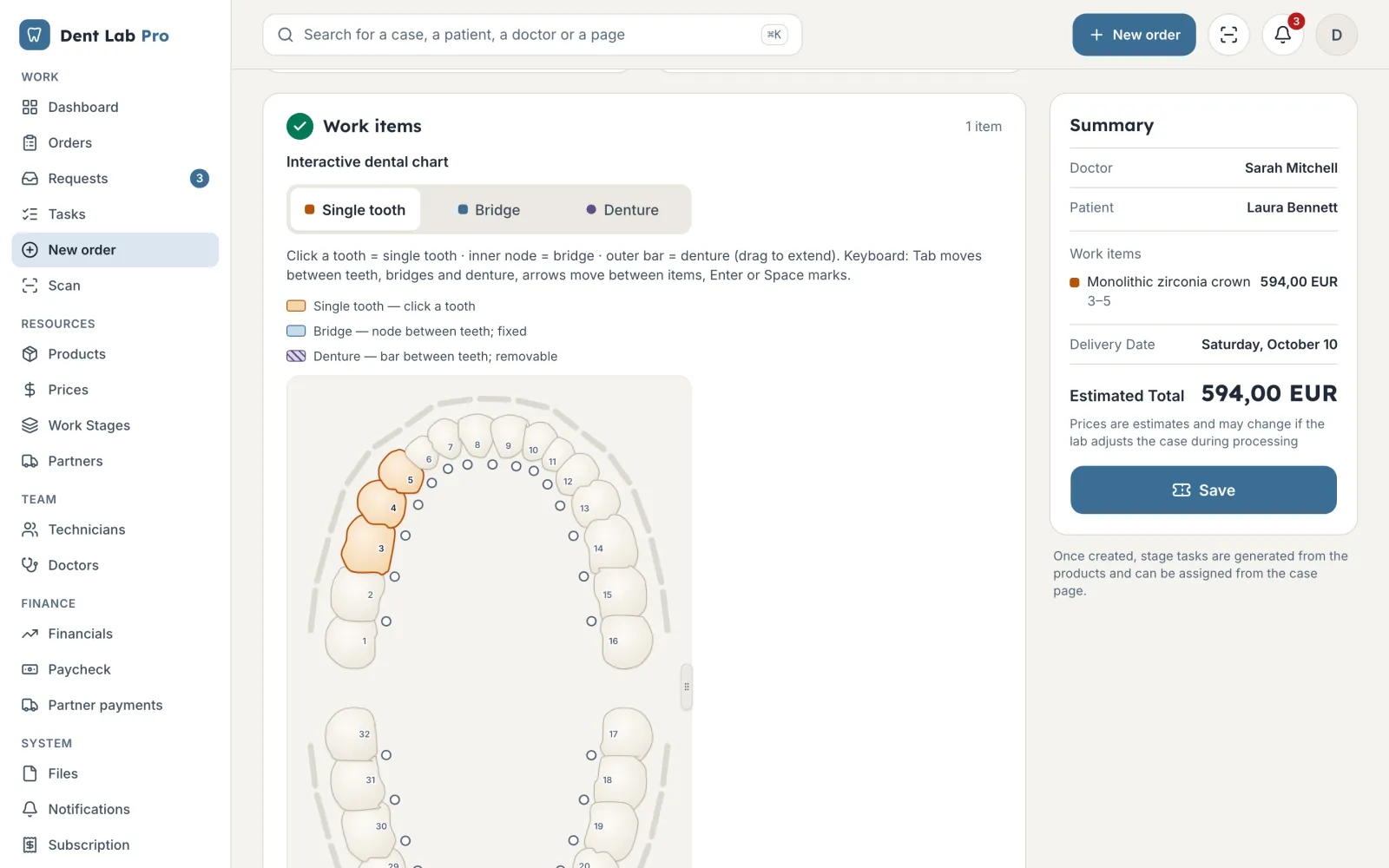
Tooth chart
Pick the teeth on the chart, the shade and the products. The price is worked out on the spot from the dentist's price list.
Dent Lab Pro keeps dentists' orders, lab stages, technicians' work and the money in one place. For labs with a team and for technicians who work alone.
Sign in with Google and pick your role: lab, technician or dentist.
Zirconia crowns × 3
Teeth 3, 4, 5, shade A2
Three things that eat time in every lab, and what replaces them.
| Until now | With Dent Lab Pro |
|---|---|
| The paper ticket gets lost between the bench and the furnace. | Every case has a barcode label. Scan it with your phone and the case moves to the next stage. |
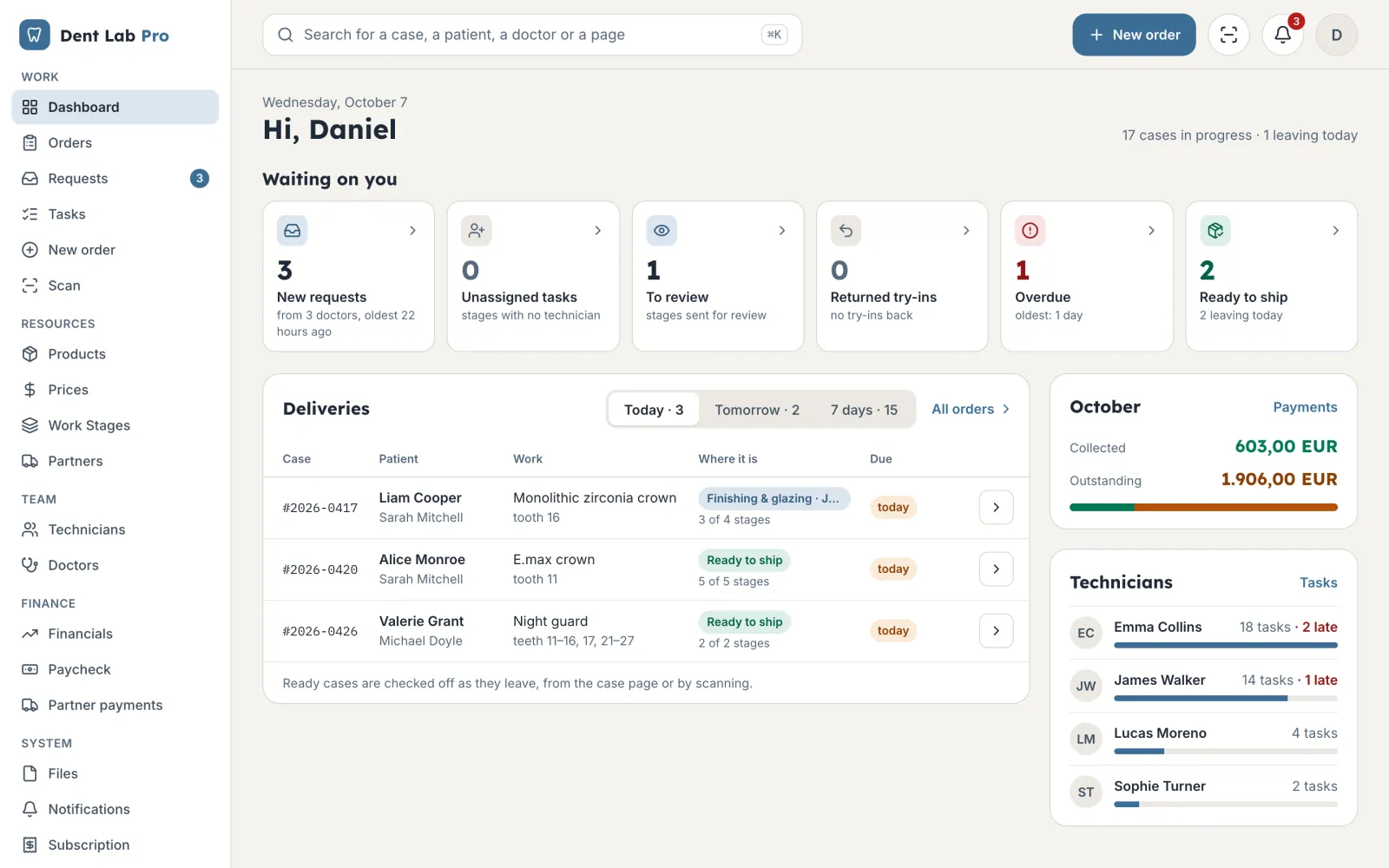
| The dentist calls to ask where the work is. | The dentist sees the stage, the try-in result and the balance in their own portal. |
| Payroll and debts live in Excel. | Each dentist's statement and each technician's pay are calculated from the work done. |
Follow a crown from the dentist's order to the statement. Tap a step to see its screen.
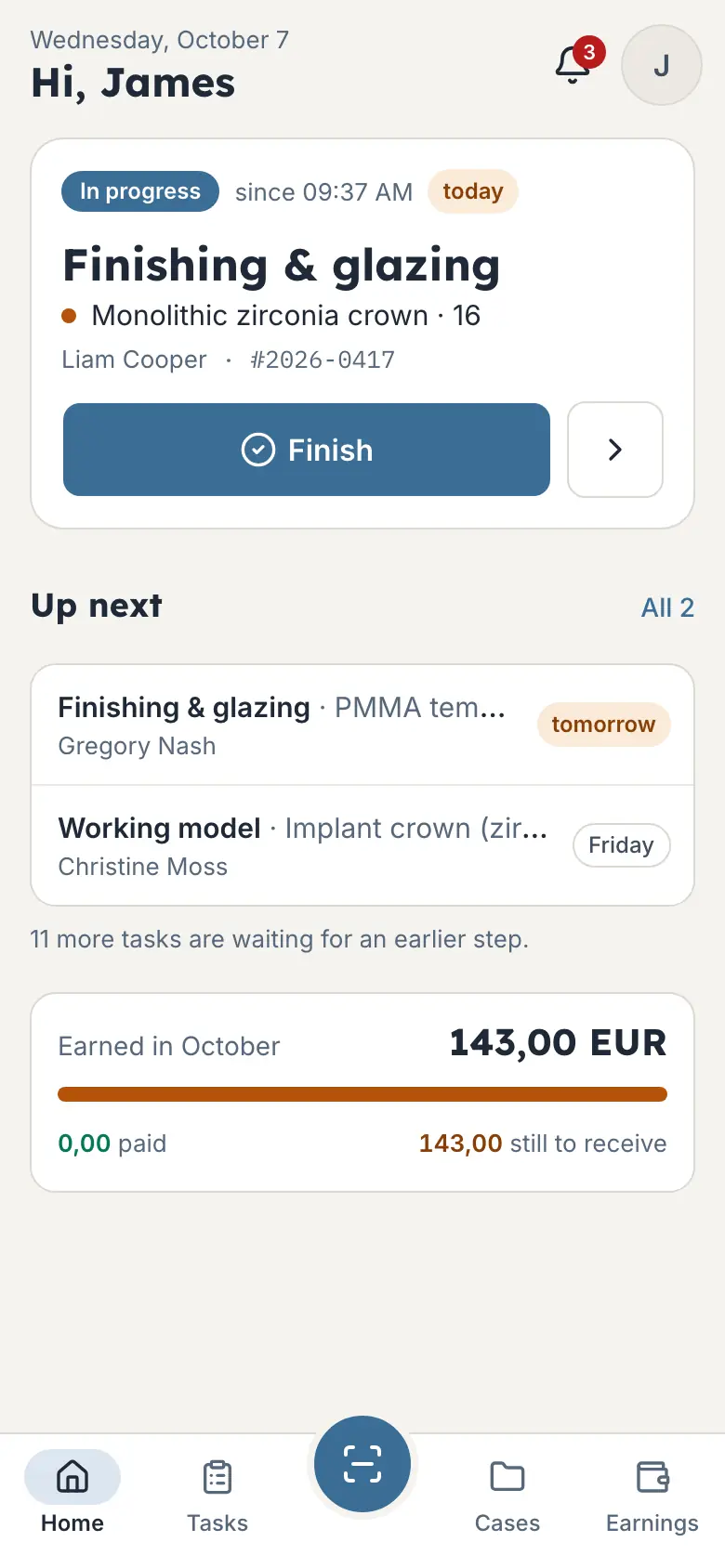
The owner, the technician and the dentist work on the same case, each from their own screen.
Not an adapted invoicing tool, but the things a technician does every day.
Pick the teeth on the chart, the shade and the products. The price is worked out on the spot from the dentist's price list.
Open STL scans right on the case, rotate and measure them without another program.
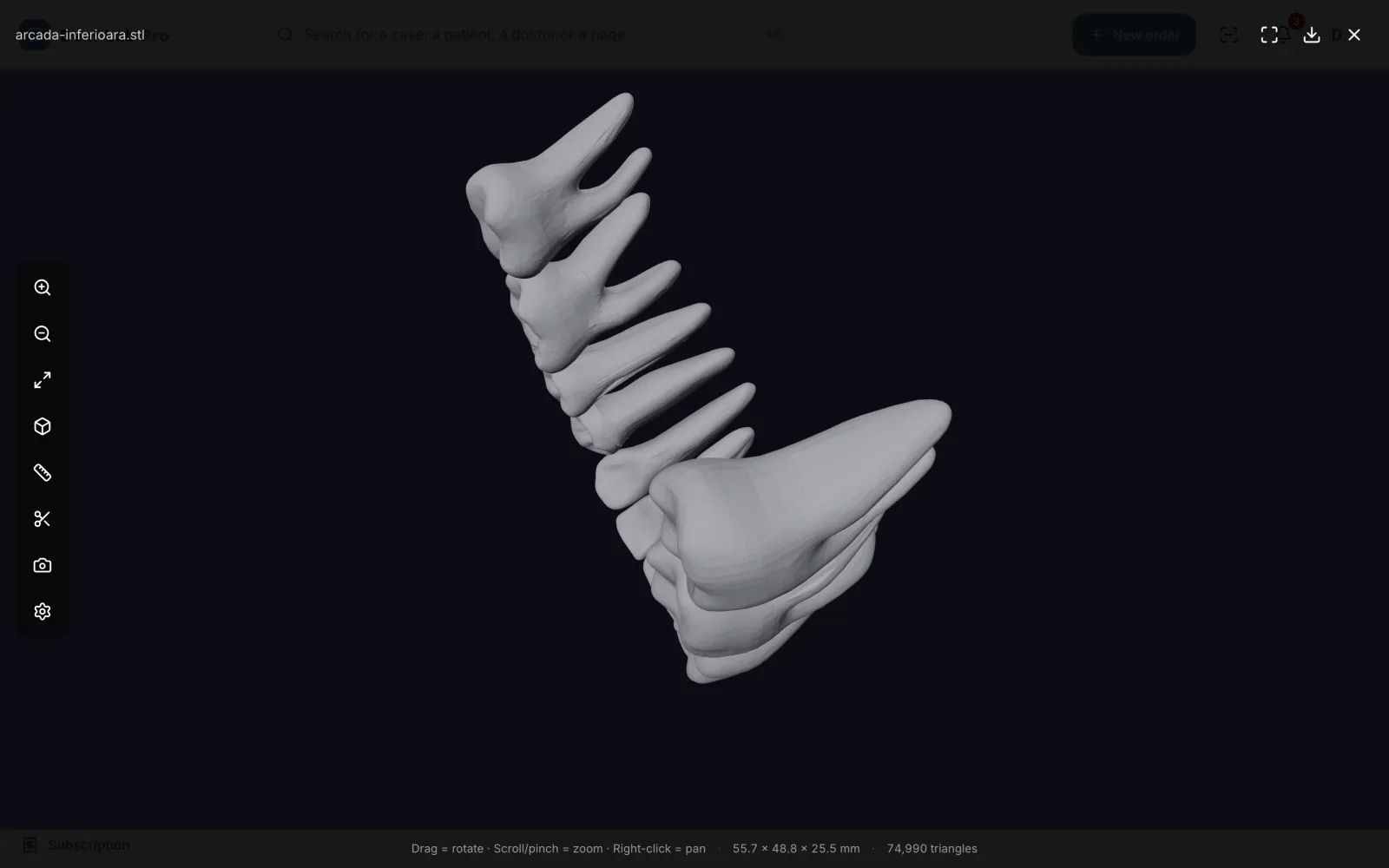
Model: Diaz, Ferro Sánchez, Campo, CC BY 4.0
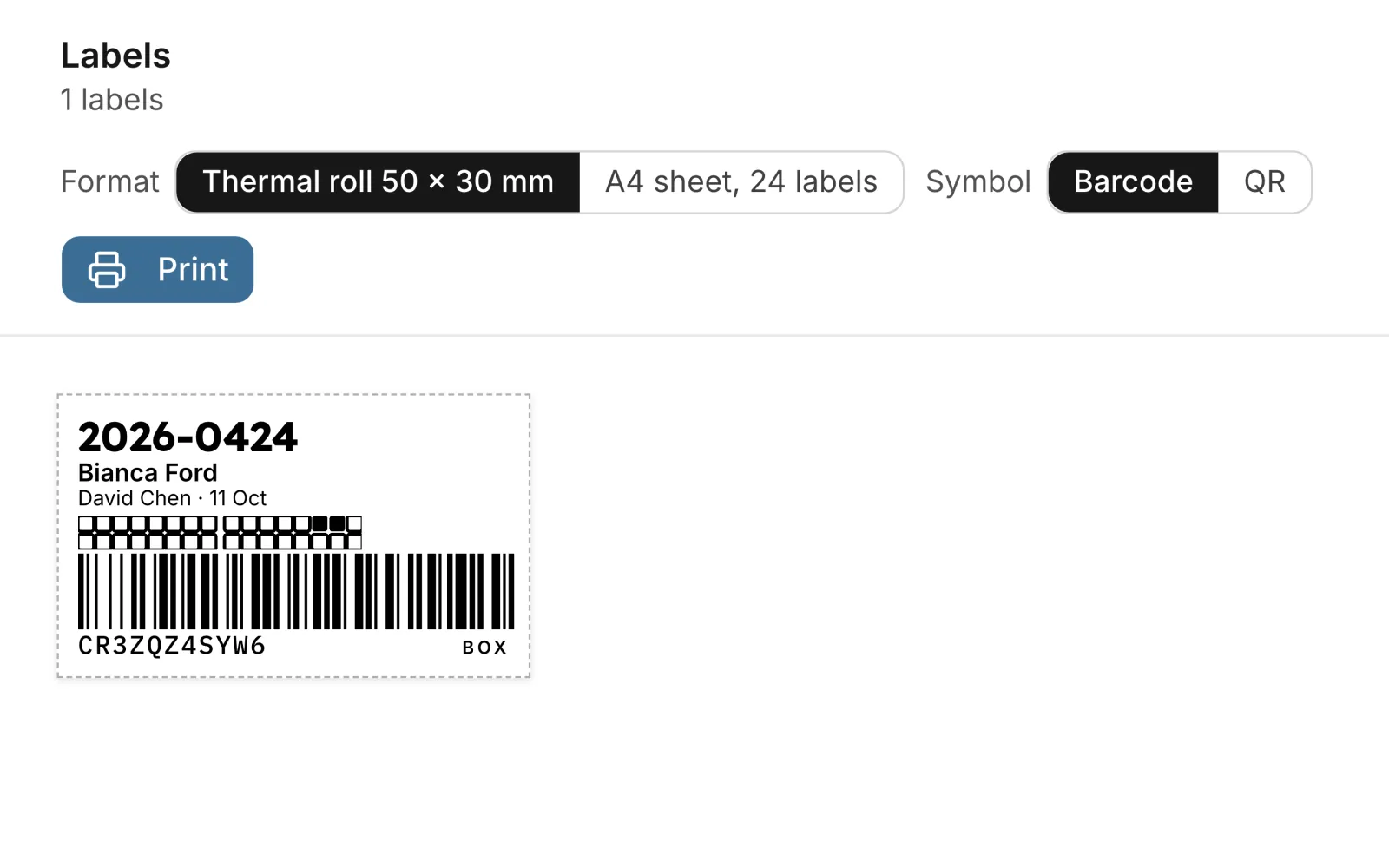
Print the case label and scan it with a phone or a USB reader.
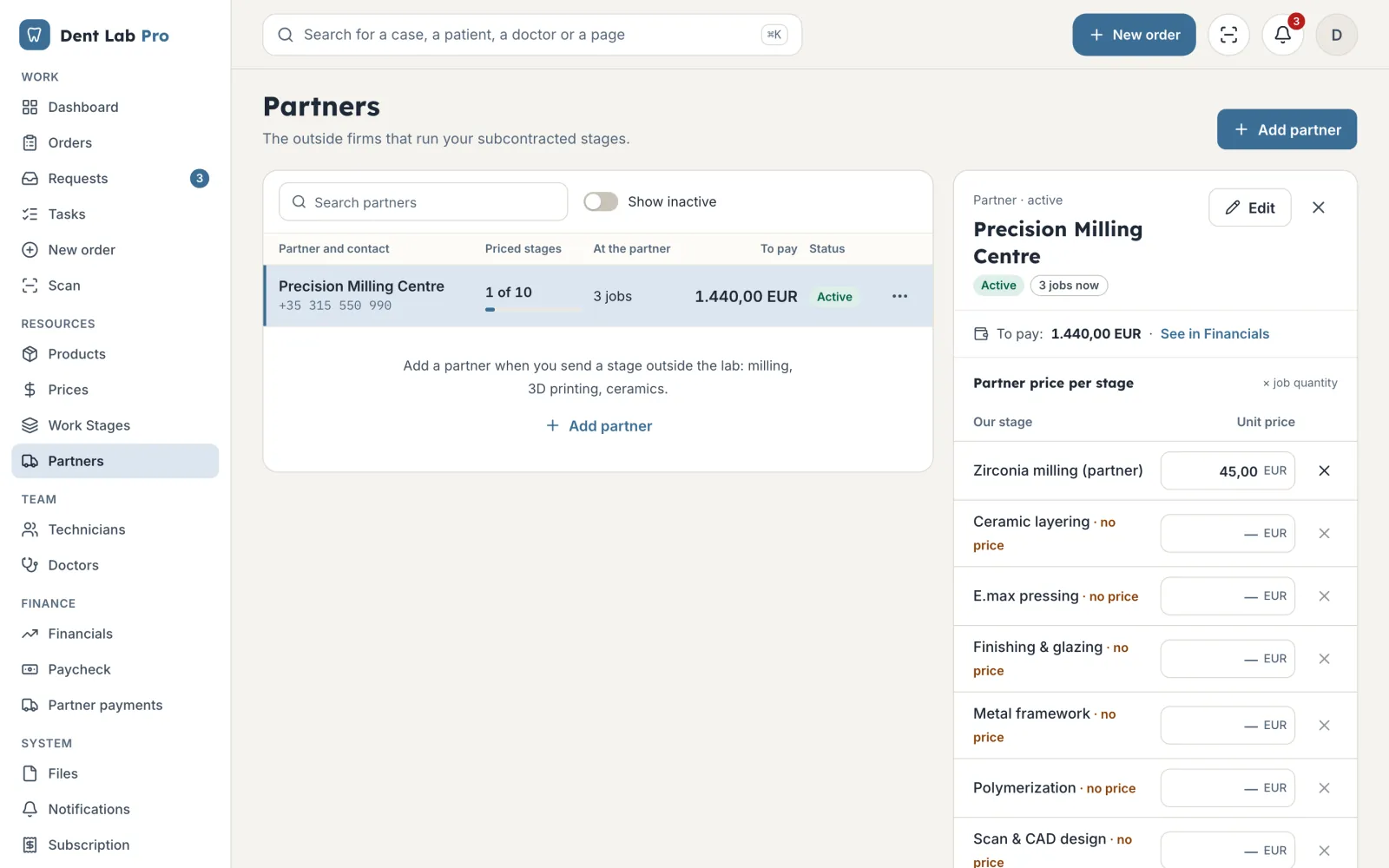
Send stages out for milling or casting, at the partner's prices.
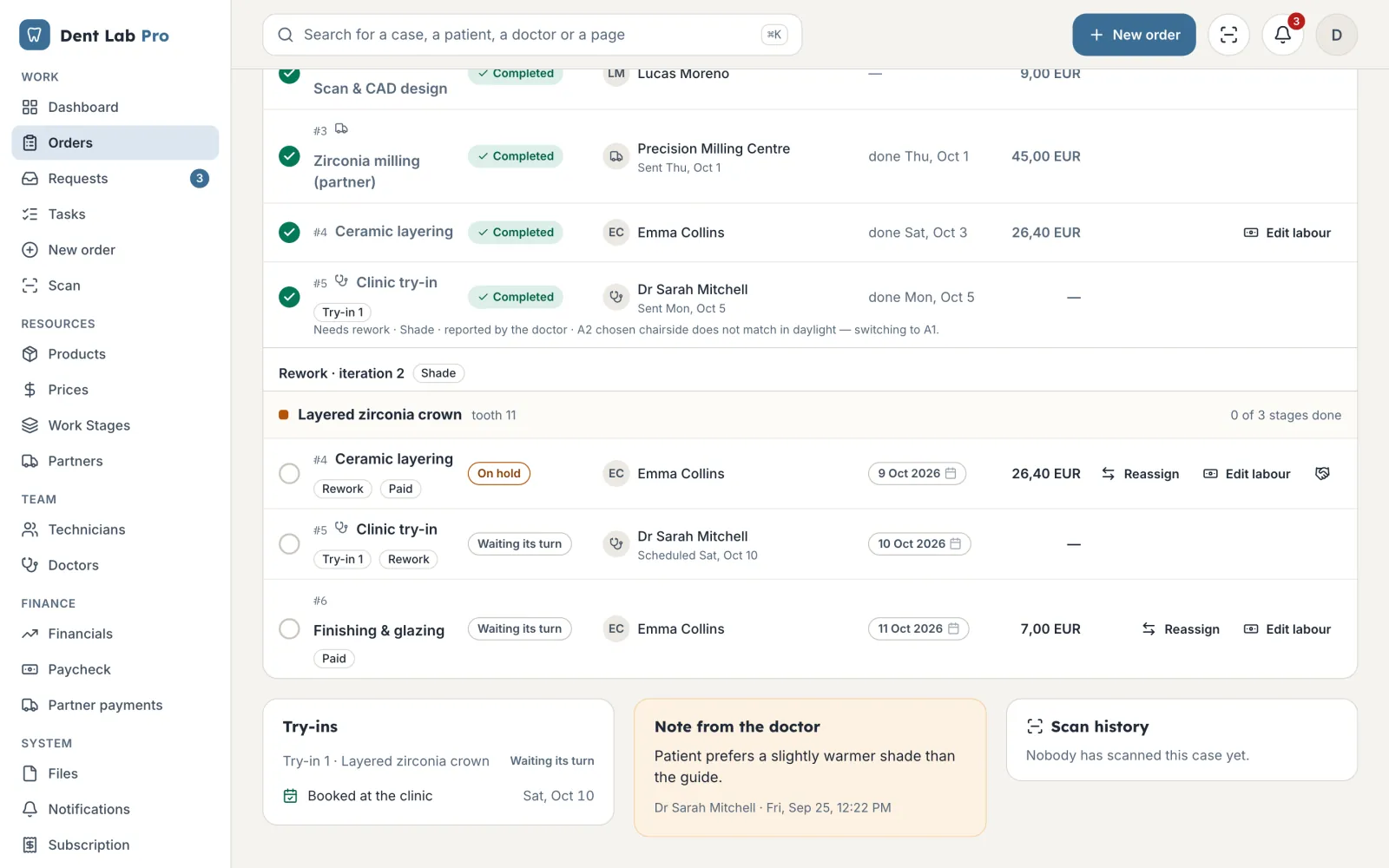
Record the reason and who was at fault. You decide how the remake is paid.
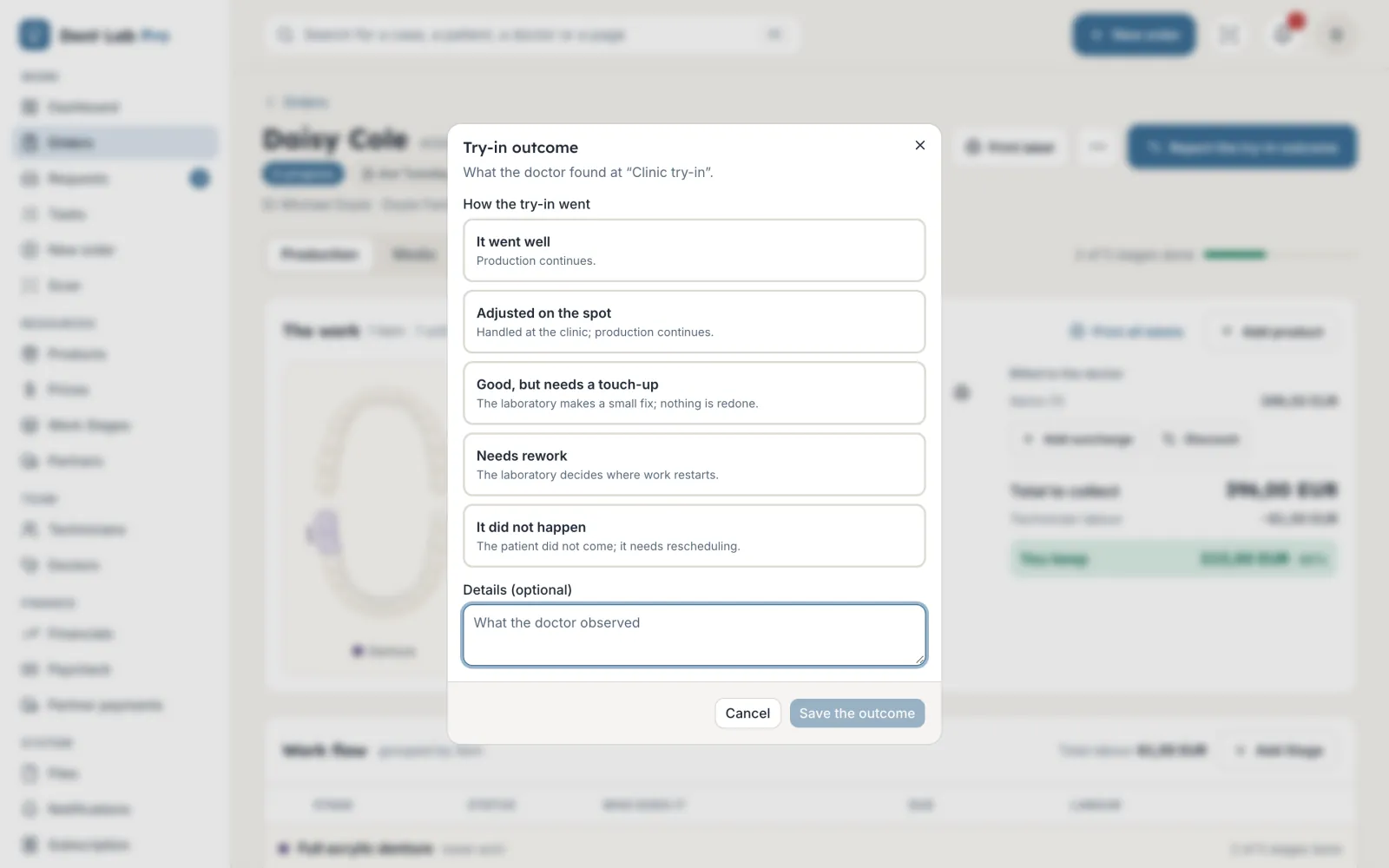
Send the work for a try-in and record how it went: fine, adjusted on the spot, needs a fix or a remake.
What each dentist owes and what each technician has earned comes from the work done, not from a separate spreadsheet.
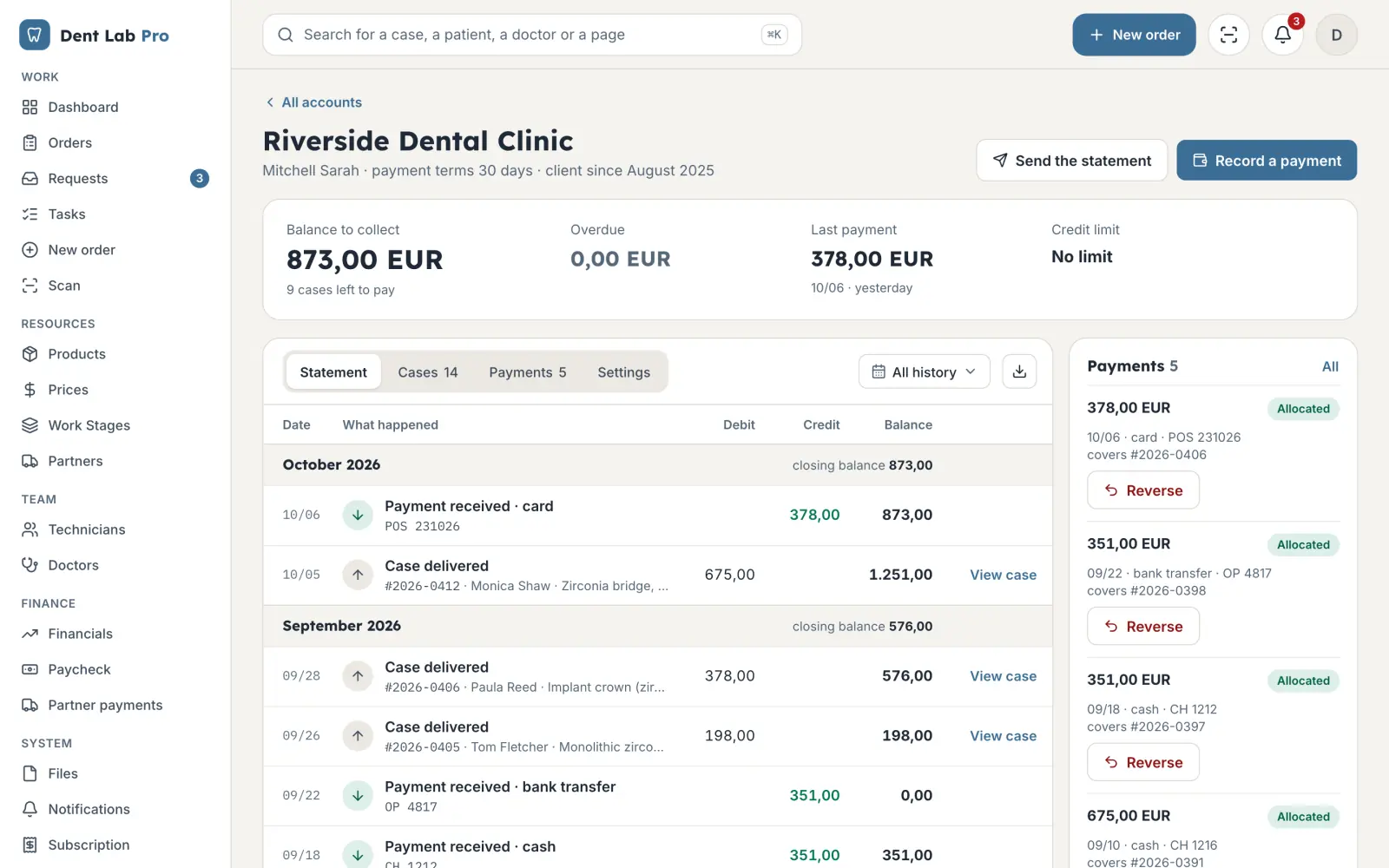
A statement for each dentist. Cash, bank and card payments are matched to the cases they cover, and overdue balances show up at once.
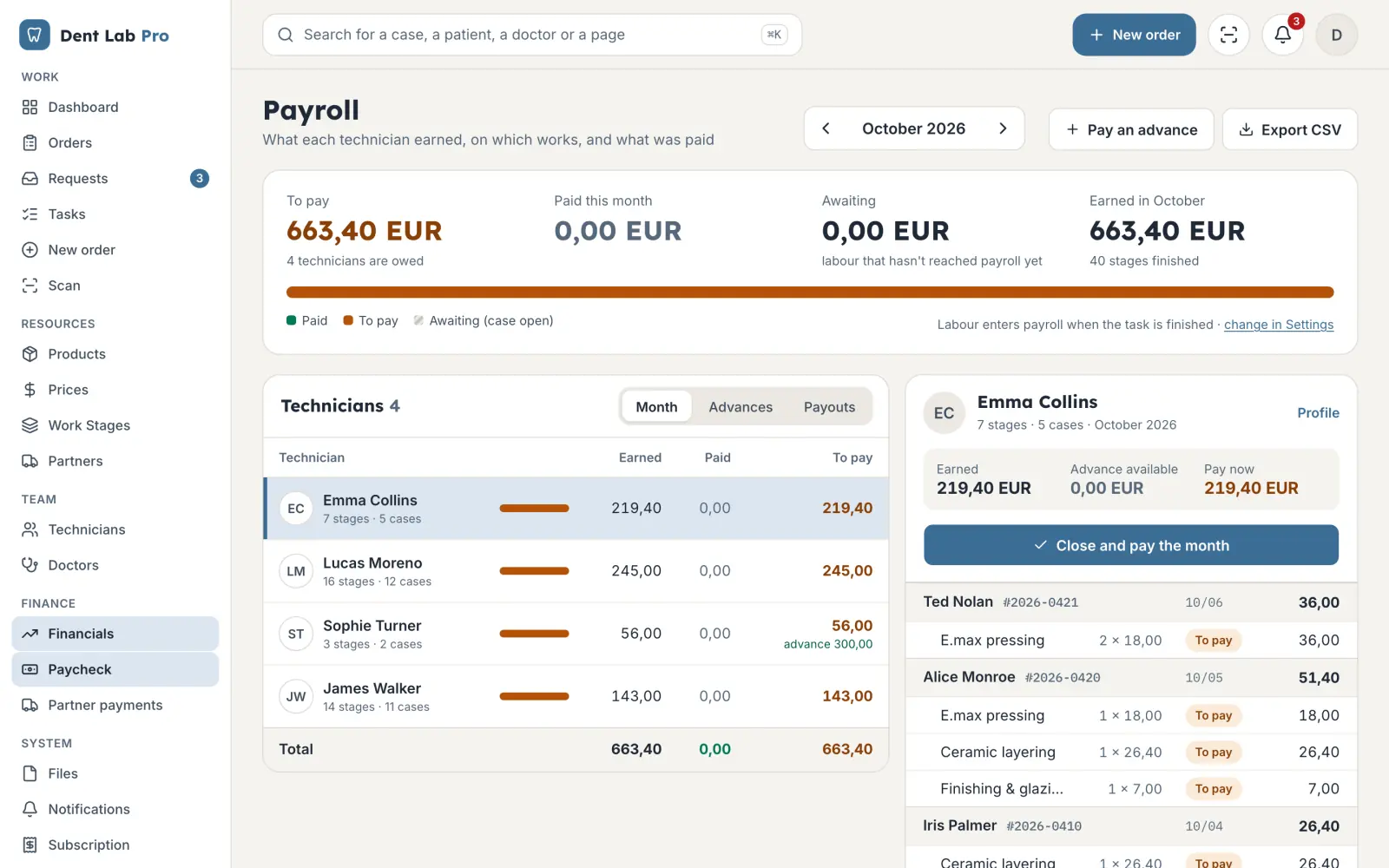
Pay adds up by stage. You choose when it is earned: when the task is done, when the case closes or once the dentist has paid.
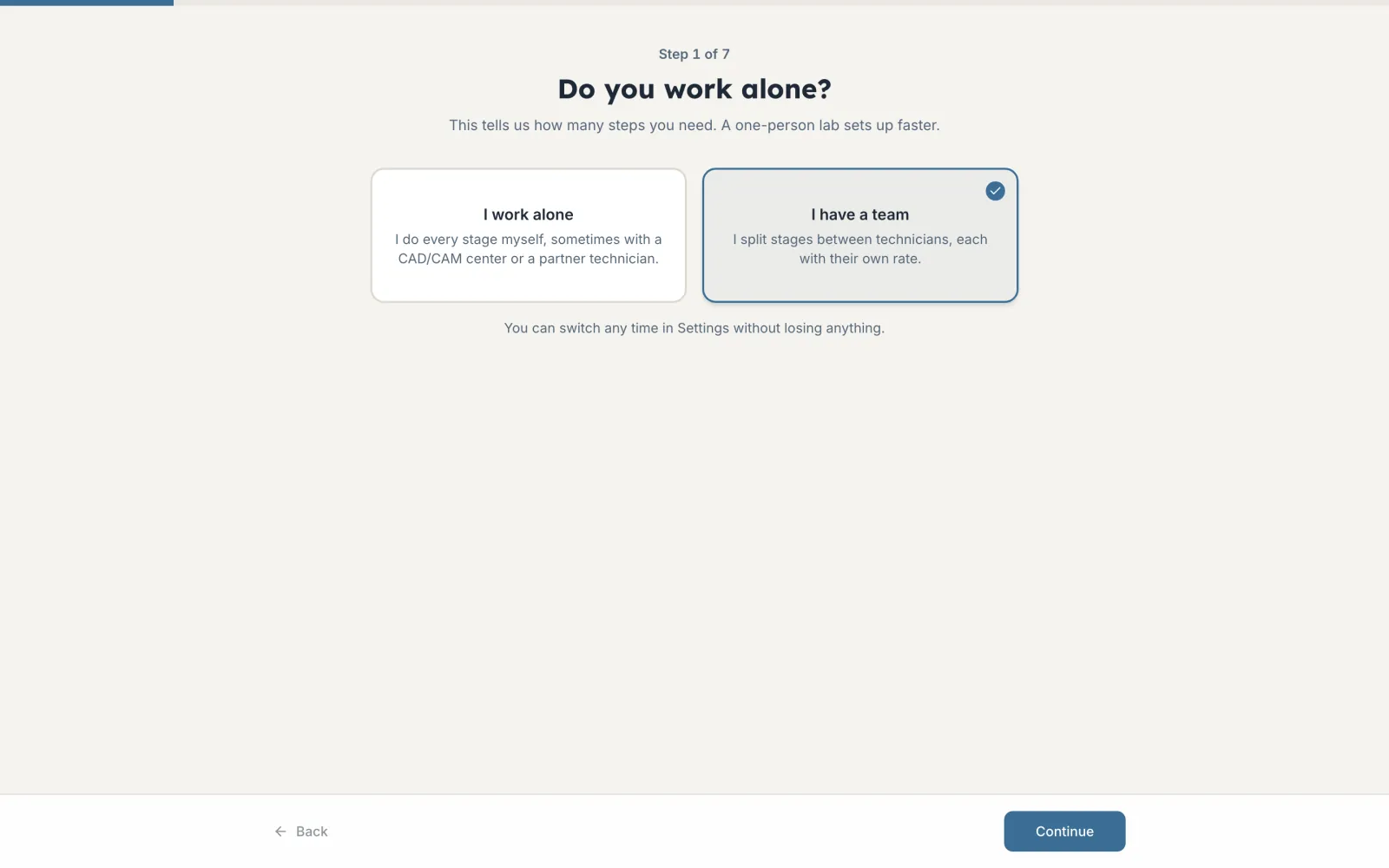
The setup assistant suggests categories, products and stages for your type of lab. Adjust them and start working.
Working alone? Solo mode hides the team features and shows only what you have to do today.
Can't find the answer? Write to us at dentlabpro.info@gmail.com.
Romanian, Russian and English. Each user picks their own language.
Yes. The app is built for phone, tablet and desktop, and technicians use it right at the bench.
You give them an invite code. The dentist creates an account, enters the code and sees only their own cases with your lab.
Yes. Solo mode is built for the technician who also owns the lab.
Each lab's data is kept separate. You can export your account data at any time.
The assistant takes you through seven steps, from the type of lab to stages and pay per stage. In solo mode the team steps are skipped.
The account takes a few clicks. Finish the setup whenever you have time.